
Post your clips to TikTok on schedule, without sitting at your phone
easy publisher is for people who make a lot of short videos and are tired of publishing them by hand: you sign in with your TikTok account, upload a clip, choose who can see it, and it goes out right away or at the time you picked.
Everything runs through TikTok's official posting interface, so we never need your password and nothing is posted unless you say so. Any creator aged 18 or older can request access: message Emil on Telegram and he switches it on.
What it looks like
Who it is for
Streamers
You cut highlights from Twitch streams and want them out at the right hours, not whenever you remember to open the app.
Bloggers and video authors
You shoot in batches and want to line up a week of posts in one sitting, each with its own caption and privacy settings.
Anyone who posts often
You look after your own TikTok account and want one place that shows what has gone out, what is waiting and what failed.
People who build their own tools
You run a course or an automation and want your program to post for you through a simple API.
How it works
Sign in with TikTok
TikTok's own window asks you to confirm access. Your password stays with TikTok.
Upload a clip and choose the settings
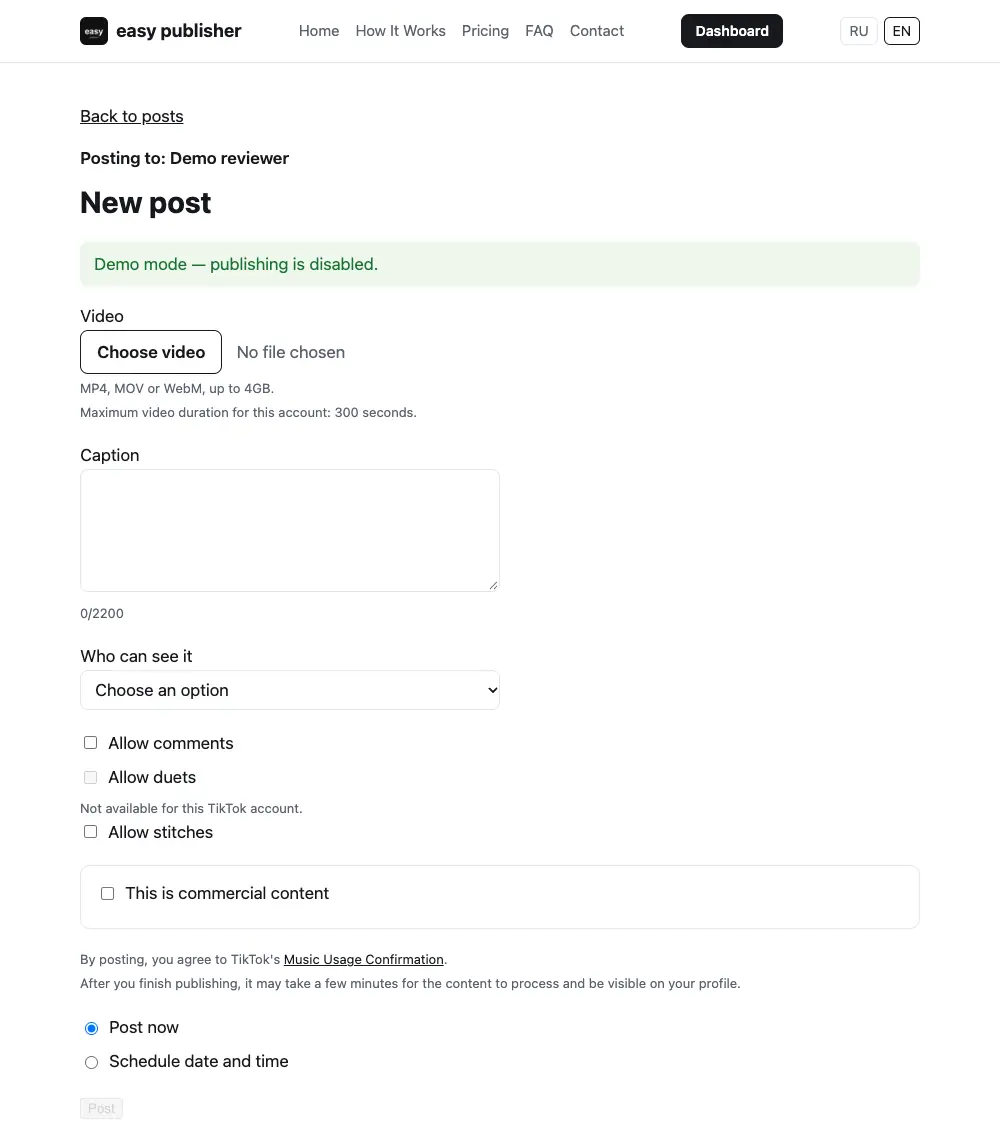
Add the video and a caption, then pick who can see it and whether comments, duets and stitches are allowed. Nothing is chosen for you.
Post now or pick a time
Publish immediately, or set a date and time and let the service do it while you are away.
Check the status
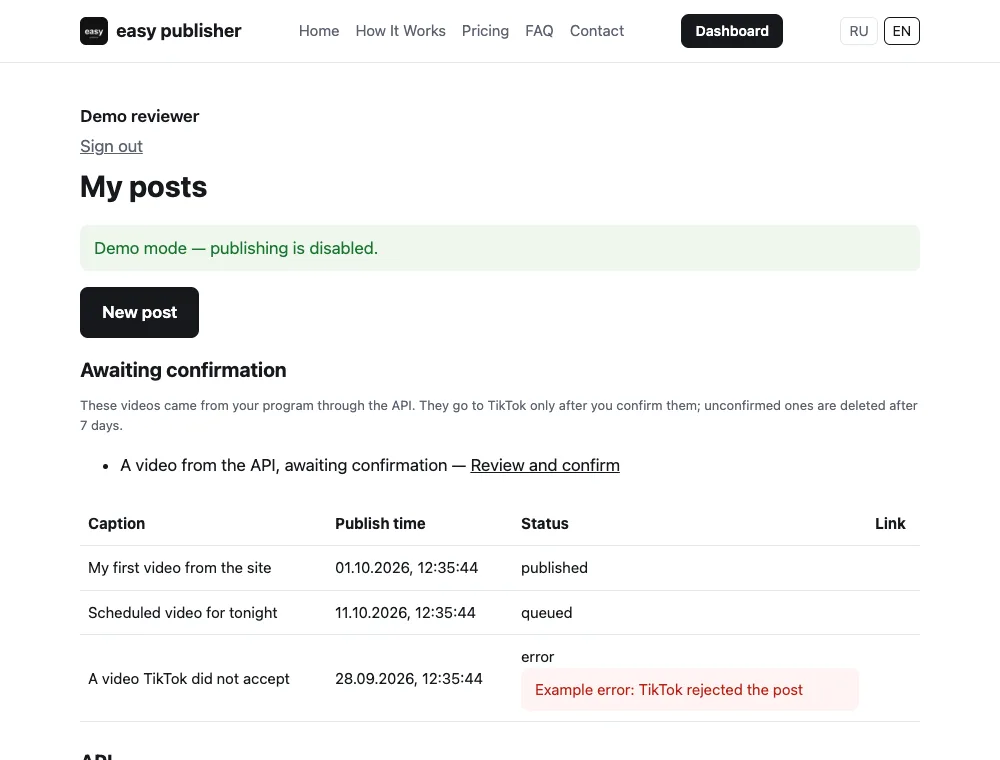
The dashboard shows each video as queued, publishing, published or failed, with a link to the post or to your profile and the reason if something went wrong.
What you can do
Post now
Send a finished clip to your TikTok account in a couple of clicks and see when it is live.
Schedule posts
Pick a date and time for each video and stop watching the clock.
Use the API
Upload videos from your own program with a personal key. Each one waits in your dashboard until you check it, choose its settings and confirm, so nothing goes out with a default.
Safety and privacy
The official interface
We use TikTok's own login and posting API, not tricks with your password.
Encrypted tokens
The access tokens TikTok gives us are stored encrypted.
Delete in one click
The Delete account button in the dashboard erases your account, posts, API keys and uploaded files at once.
Only on your command
We publish nothing until you create a post and choose its settings. No ads, no selling of data.
Pricing
990 RUB per month for each connected TikTok account. If you already order automation from Emil, the connection is included in your package. There is no payment on the site: you message Emil on Telegram and he switches access on.
Questions
What data we store, how to revoke access, why you choose privacy yourself, what happens to a video before TikTok approves it: short answers are on the FAQ page.
Ready to try it?
Any creator aged 18 or older can request access: message Emil on Telegram and he will connect your account. Already have access? Sign in and upload your first clip.
By using the service you accept the Terms of Service / Privacy Policy.